Speaklarity

SaaS

MVP

In March 2025, I joined Speaklarity, an early-stage startup armed with a core concept: to create a powerful AI coach for structured professional communication.

My mission was to take the product from zero to a fully functional MVP. The challenge was to translate complex AI feedback into a human-centric experience that encourages users to practice, rather than intimidating them.

Research, UI/UX Design, Prototyping, Testing

Product Designer

Mar 2025 - current
About Product

About Product

Overview

Overview

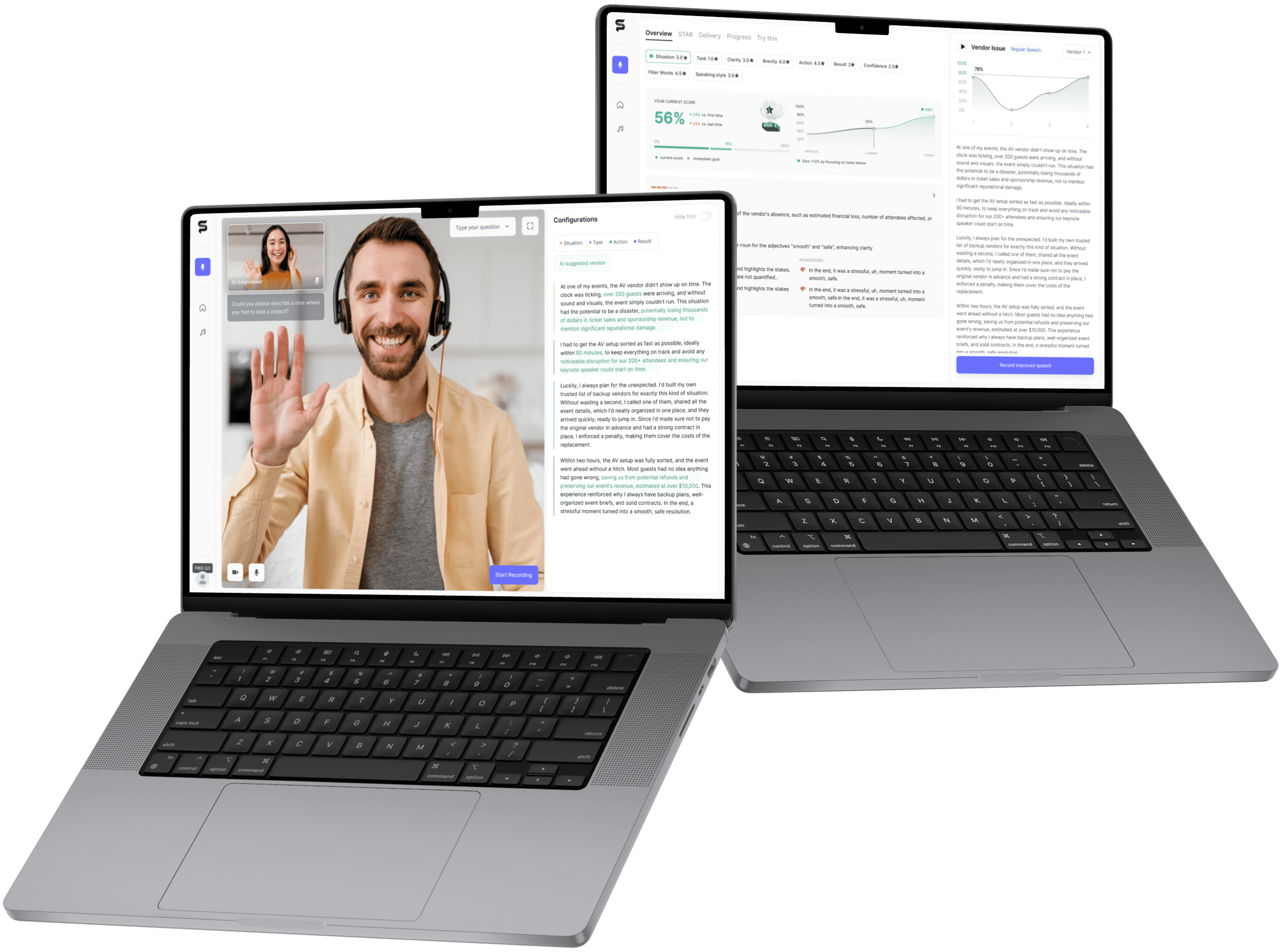
Speaklarity is an AI-powered tool designed to help professionals improve their speaking skills and prepare for interviews.

While the long-term vision includes sales pitches and public speaking, the MVP focuses on behavioral interviews for top-tier tech companies.

Speaklarity is an AI-powered tool designed to help professionals improve their speaking skills and prepare for interviews.

While the long-term vision includes sales pitches and public speaking, the MVP focuses on behavioural interviews for top-tier tech companies.

The Problem & Hypothesis

The Problem & Hypothesis

Candidates often fail not because they lack experience, but because they lack structured practice.

My core hypothesis was that by providing instant, structural feedback, the product could motivate users to iterate, turning vague answers into polished and structured responses.

what makes the product different

what makes the product different

Speaklarity is built around repetition and immediate feedback. Instead of just consuming content user is pushed to practice right away, which helps lock the skill into their muscle memory.

Record

Analyse

Iterate

This behavioural shift creates a hook that drives higher retention and ensures the user actually acquires the skill, rather than just reading about it.

product value

product value

Speaklarity bridges the gap between knowledge and execution. By providing a safe, simulated environment for repeated failure and rapid improvement, we turn interview anxiety into reliable confidence.

Research

The Challenge

Context

Professionals at top-tier companies need to ace behavioral interviews.

Problem

Candidates often know the theory but fail in delivery due to lack of stress-resilient practice. They can't bridge the gap between knowing and speaking.

Current Landscape

Passive learnings

Creates a knowledge illusion but builds no muscle memory.

Voice memos

High friction, zero feedback. Users reinforce bad habits

AI Tools

High utility but high anxiety. Overwhelms users with data, lowering motivation.

Human Coach

Effective but expensive and unscalable.

Core insight

Core insight

To build a sustainable habit, I discovered that the product must satisfy two needs simultaneously:

#1 Actual Skill Growth

1. Actual Skill Growth

UTILITY

The tool must provide high-quality, actionable feedback to technically improve speech.

#2 Perceived Progress

2. Perceived Progress

EMOTION

The user must feel they are winning. High-friction learning requires a dopamine loop (like immediate validation) to keep motivation alive.

#1 Actual Skill Growth Utility

The user must technically improve (better structure, less filler words).

#2 Perceived Progress Emotion

The user must feel they are getting better to stay motivated (dopamine loop).

Competitive Analysis

Competitive Analysis

I decided to map the landscape against Perceived Progress and Actual Skill Growth.

From this analysis, it became clear that today's market is polarised: current solutions either offer comfort without results or results without motivation, leaving the ideal high-growth sector completely empty


Opportunity Zone

Opportunity Zone

perceived progress

perceived progress

actual progress

actual progress

HIGH

HIGH

MEDIUM

MEDIUM

LOW

LOW

Passive learnings

Passive

Learnings

Creates a knowledge illusion but builds no muscle memory.

Creates a knowledge illusion but builds no muscle memory.

Voice memos/
Mirror Practice

Mirror/

Voice memos

High friction, zero insight, reinforces bad habits as user can't self-assess structure while speaking

High friction, zero insight, reinforces bad habits as user can't self-assess structure while speaking

AI Tools

AI Tools

High utility data, but low motivation. Showing 50+ errors & complex graphs creates anxiety

High utility data, but low motivation. Showing 50+ errors & complex graphs creates anxiety

Human Coach

Human

Coach

Deed insights but unsustainable. High cost prevents the daily repetition required for habit formation

Deed insights but unsustainable. High cost prevents the daily repetition required for habit formation

Passive learnings

LOW

LOW

MEDIUM

MEDIUM

HIGH

HIGH

Key takeaways

Limit feedback

Act as a smart filter. Even if the AI detects 20 errors, show only most critical ones to prevent cognitive overload and anxiety.

Sandwich utility between emotion

Wrap technical criticism inside positive reinforcement. Start and end every session with validation, highlighting what they did right, to keep the perceived progress high.

Visualise progress

Track and display metrics that always go up (streaks, word count, time spent), regardless of skill level. This ensures a dopamine hit even when the actual skill growth plateaus.

Usability Testing

MVP VALIdation

The initial user flow was technically sound.
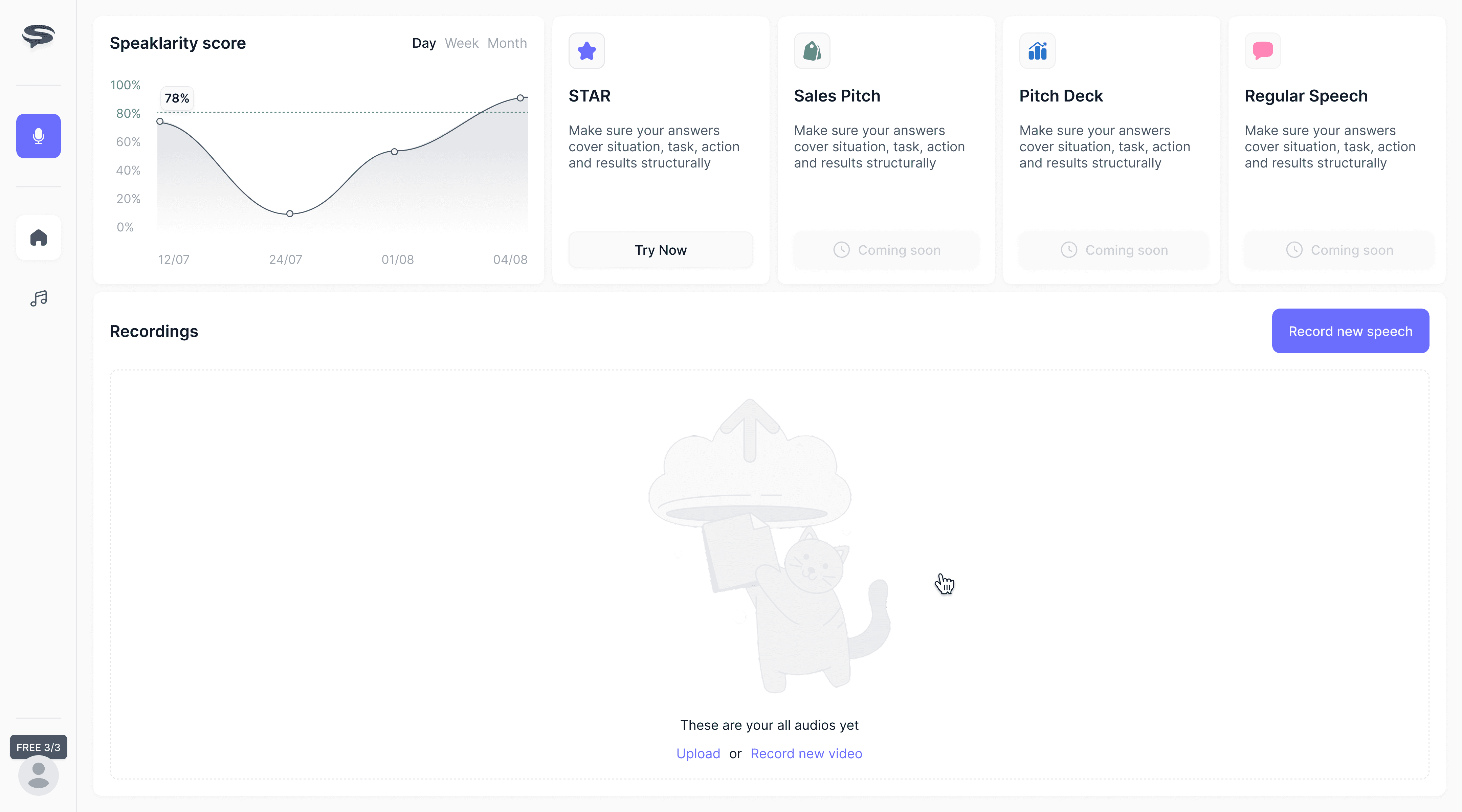
Dasрboard

Dasрboard

Dasрboard

Recording

Recording

Recording

Analysis

Analysis

Analysis

However, my usability testing revealed a critical gap between function and adoption. Users completed the tasks but refused to return.

Data signal

I launched a closed beta with a cohort of 20 active job seekers.

Unlike a controlled usability test, these users were given full access to use the product for their actual interview preparation.

The goal was to observe organic usage patterns and validate if users would instinctively enter the iteration loop (Record → Analyse → Re-record) without prompted guidance.

70% drop-off

Transition to re-recording

/ transition to re-recording

The drop-off was alarmingly high.

To understand why, I conducted follow-up interviews with the participants.

They revealed that the friction didn't just happen at the end, it started much earlier.

Users reported losing focus and confidence during the recording itself, which made the subsequent complex feedback feel even more overwhelming.

ROOT CAUSE ANALYSIS

I mapped these emotional and cognitive blockers in the journey analysis below:

Recording

Recording

Analysis

Analysis

Goal

Goal

Record a STAR answer

Understand performance

Thought

Thought

What do I say? Will the AI even understand my context?

I feel stupid talking to a blank screen. What was the question again?

Whoa, too much info. I have an AI-revised script, tone advice, and 20 grammar fixes. What do I do first? Do I memorise the new text or just fix the old one?"

Emotion

Emotion

🫨

🫨

🫨

Anxiety

😲

😲

😲

Overwhelm

MVP Friction

MVP Friction

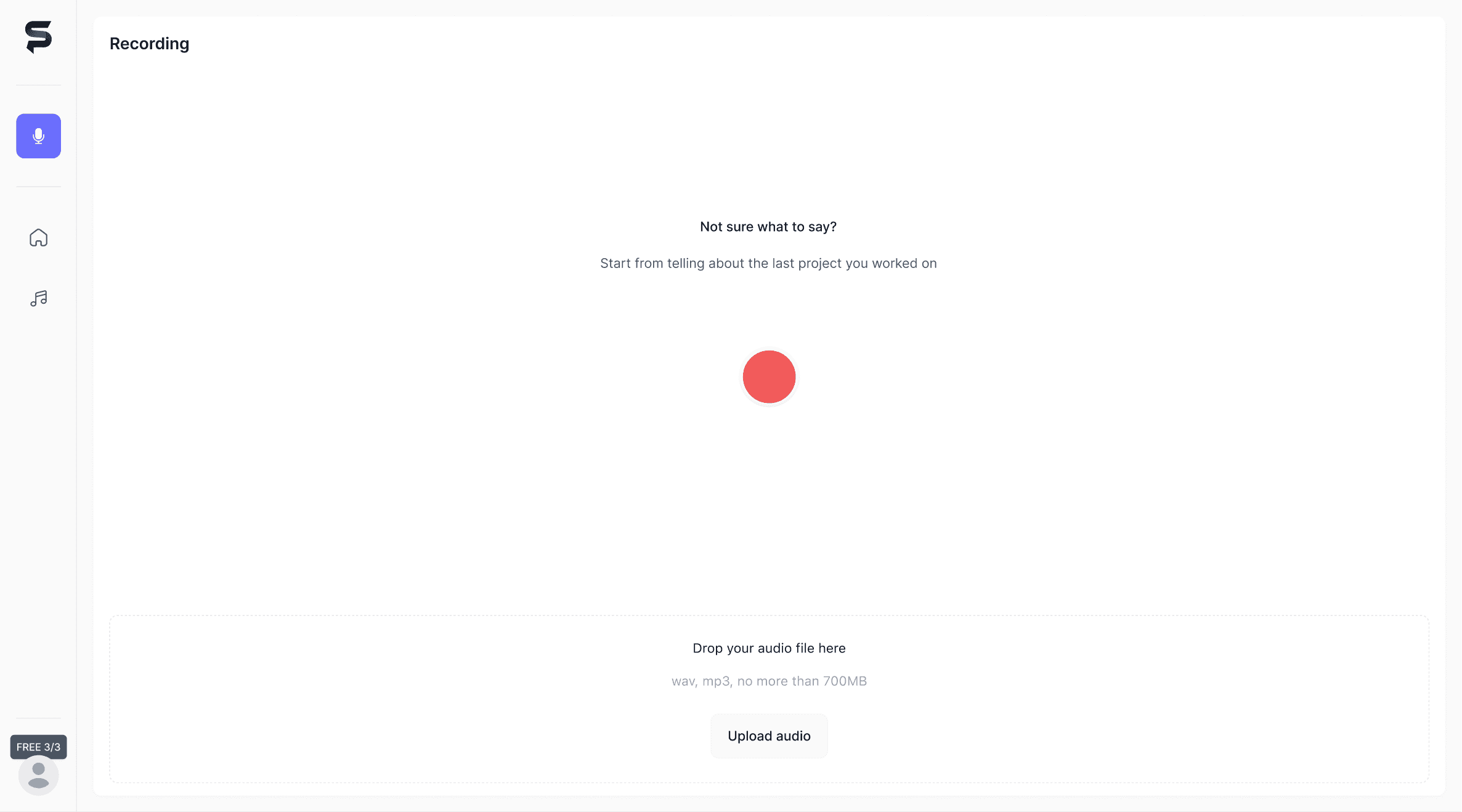
With only a standard record button and no visible question, users forgot their talking points or were loosing focus during the recording process

The lack of context made them hesitate, fearing the AI wouldn't understand the context

The system provided detailed fixes and revised versions, but lacked hierarchy.

Users suffered from сognitive overload, seeing all the feedback together demotivated them from starting anywhere

The system provided detailed fixes and revised versions, but lacked hierarchy.

Users suffered from сognitive overload, seeing all the feedback together demotivated them from starting anywhere

The journey map revealed a clear pattern of friction. Users were paralysed by under-guidance during the recording phase and information overload during the analysis phase.

To fix the drop-off, I needed to lower the cognitive load at these two critical steps.

Strategy

Eliminate decision fatigue

Remove the burden of "what to say" from the user.

Reduce cognitive load

Filter raw data into a single, prioritised insight.

Lower the barrier to iteration

Make re-recording the path of least resistance

Recording screen

THE PROBLEM

In the first iteration, I removed all distractions. However, testing revealed three critical issues:

Trust Gap

Users doubted the AI would understand their context without manual input

Lack of direction

Users didn't know what to say or where to start.

Low Intensity

Speaking to a blank screen felt too casual. Users lost focus, rambled, and didn't take the practice seriously.

To fix this, I shifted from a passive recorder to a video-call simulation

redesign

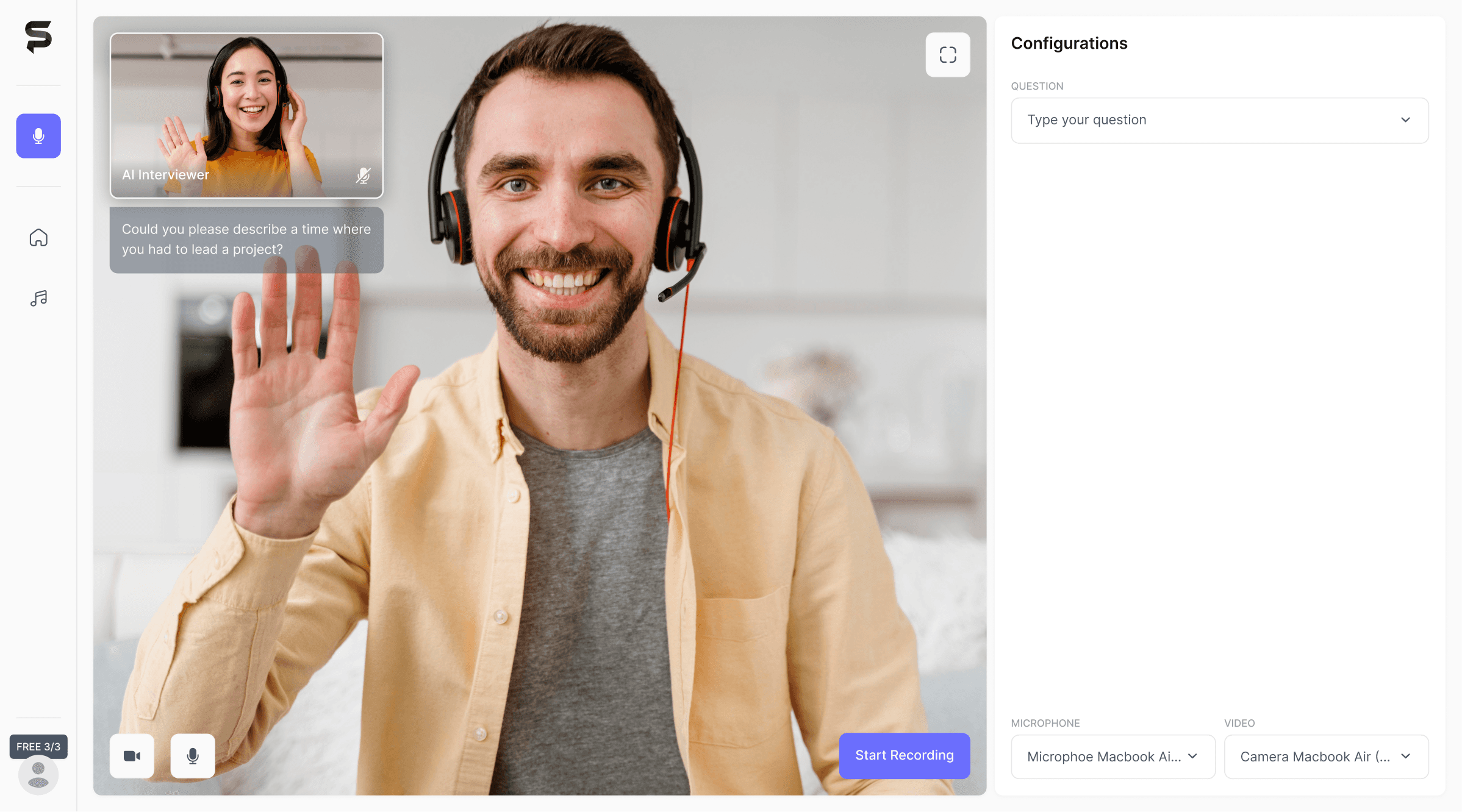
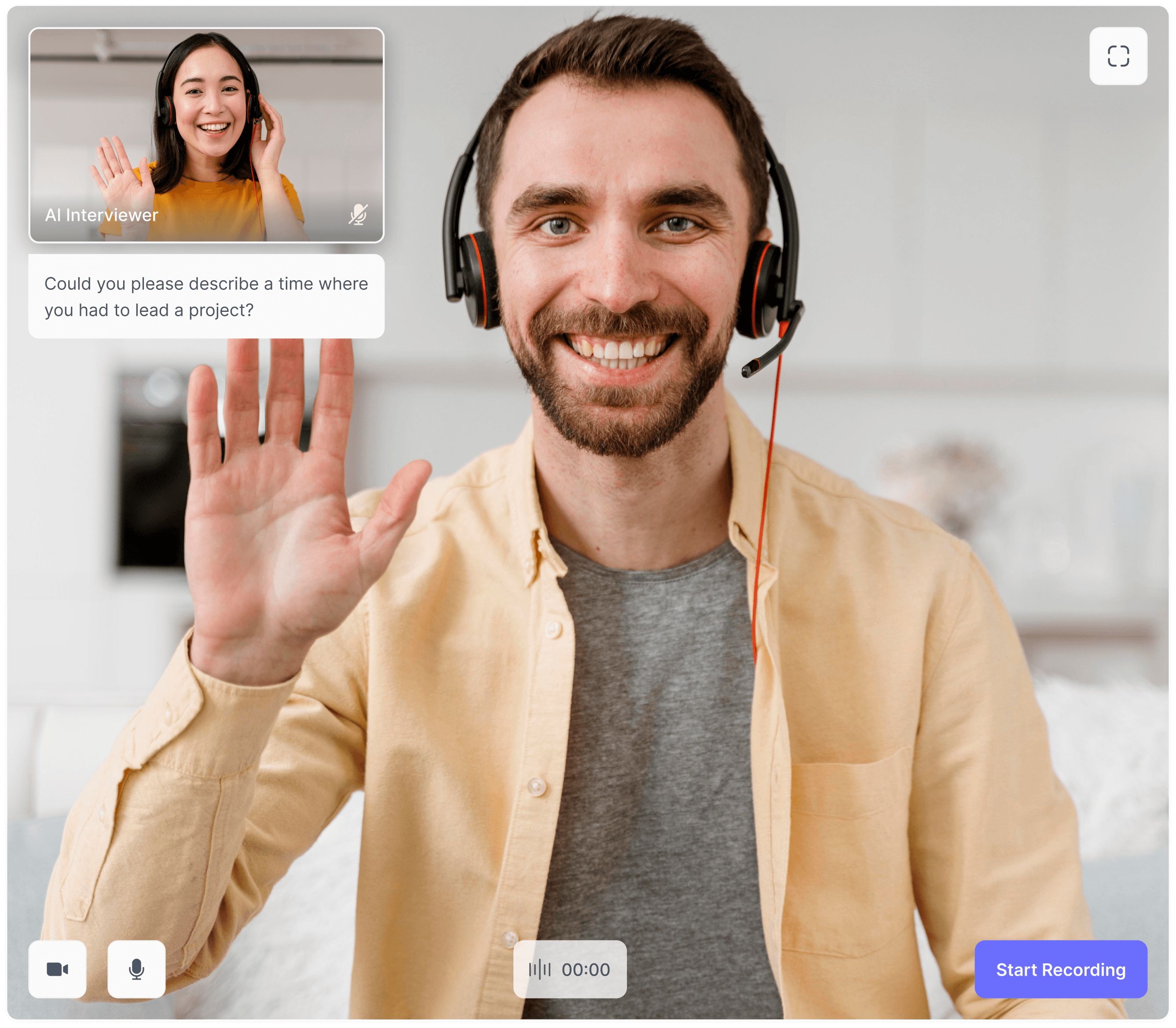
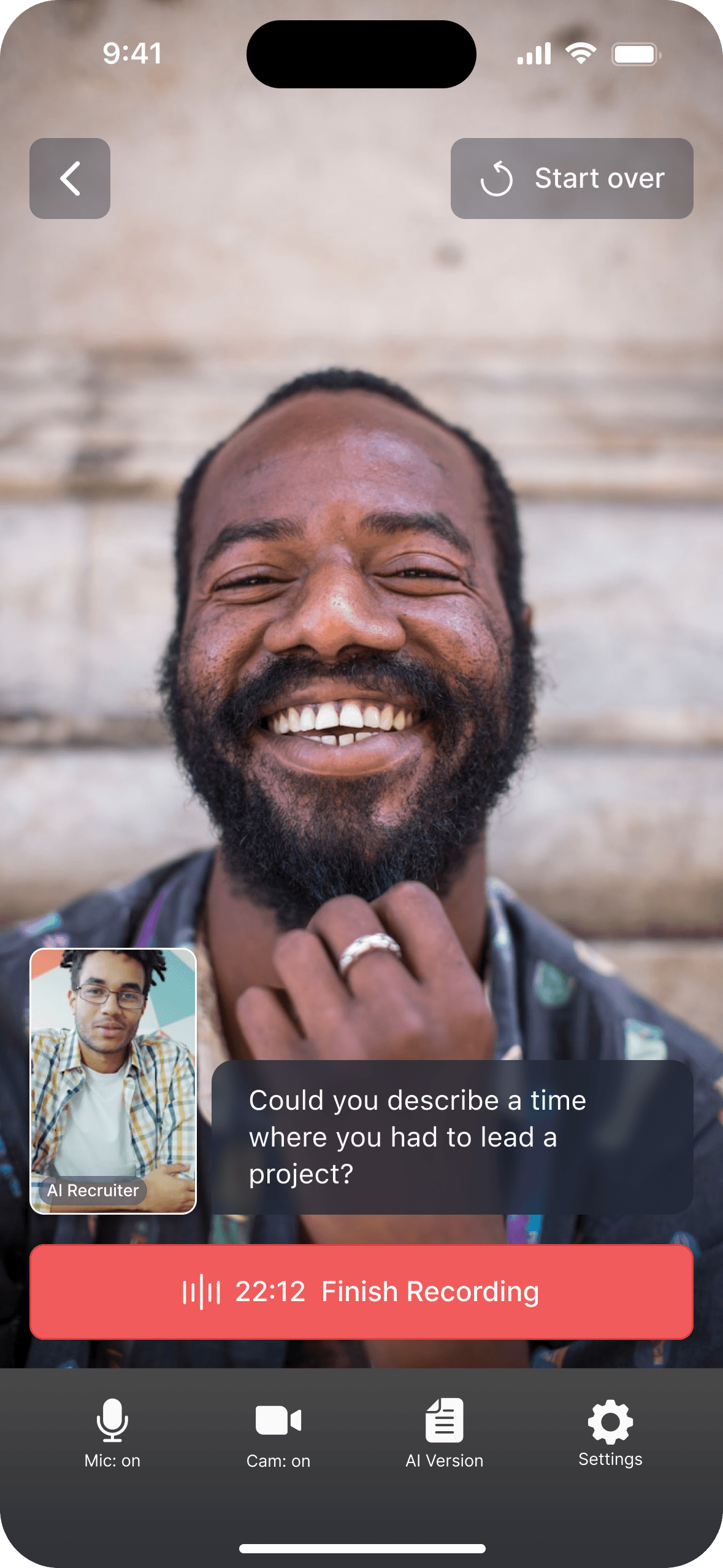
I redesigned the screen to mimic a real interview environment. This forces the user to posture up and manage their presence, while giving them full control over the topic.

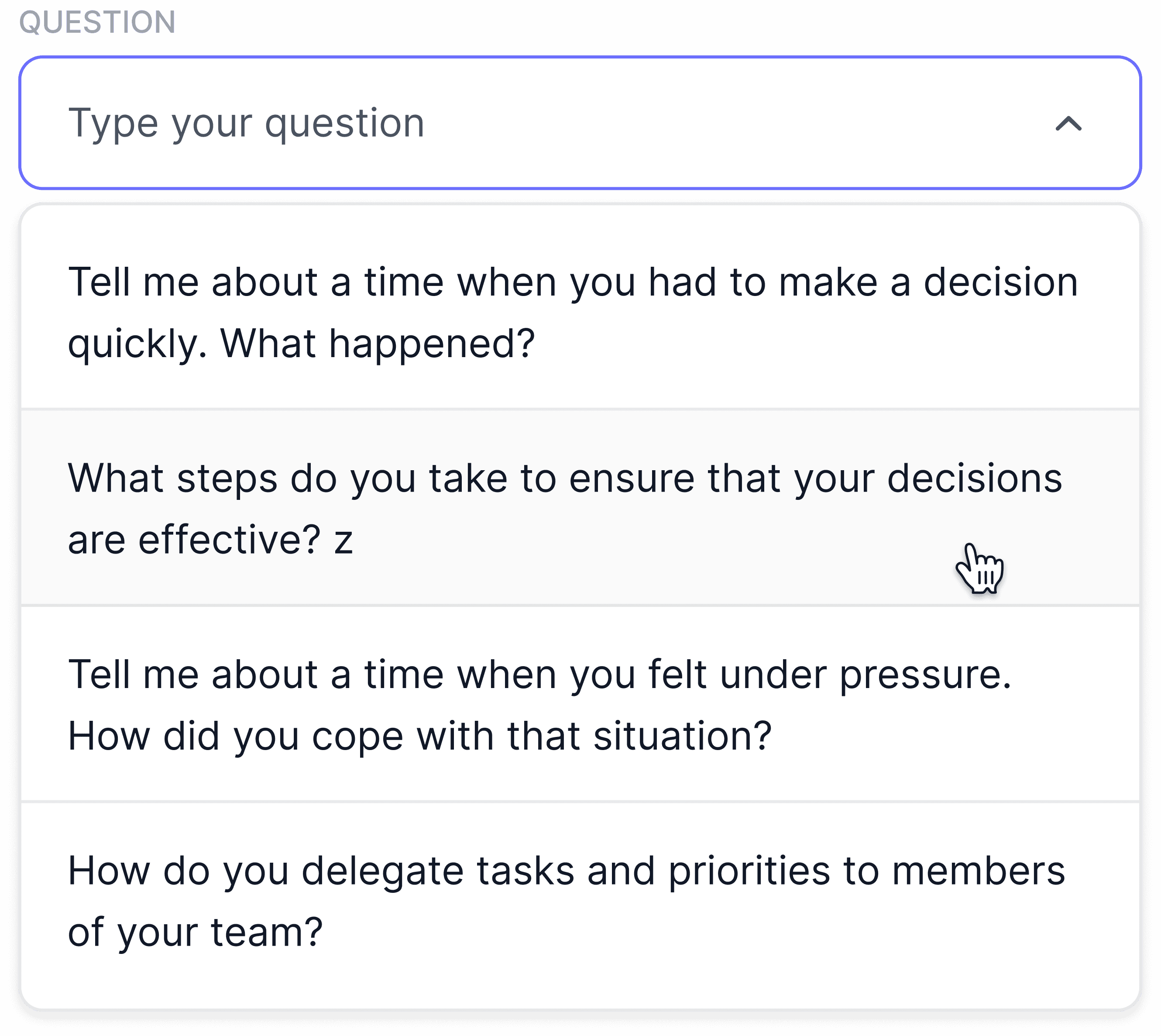
#1 Context and control

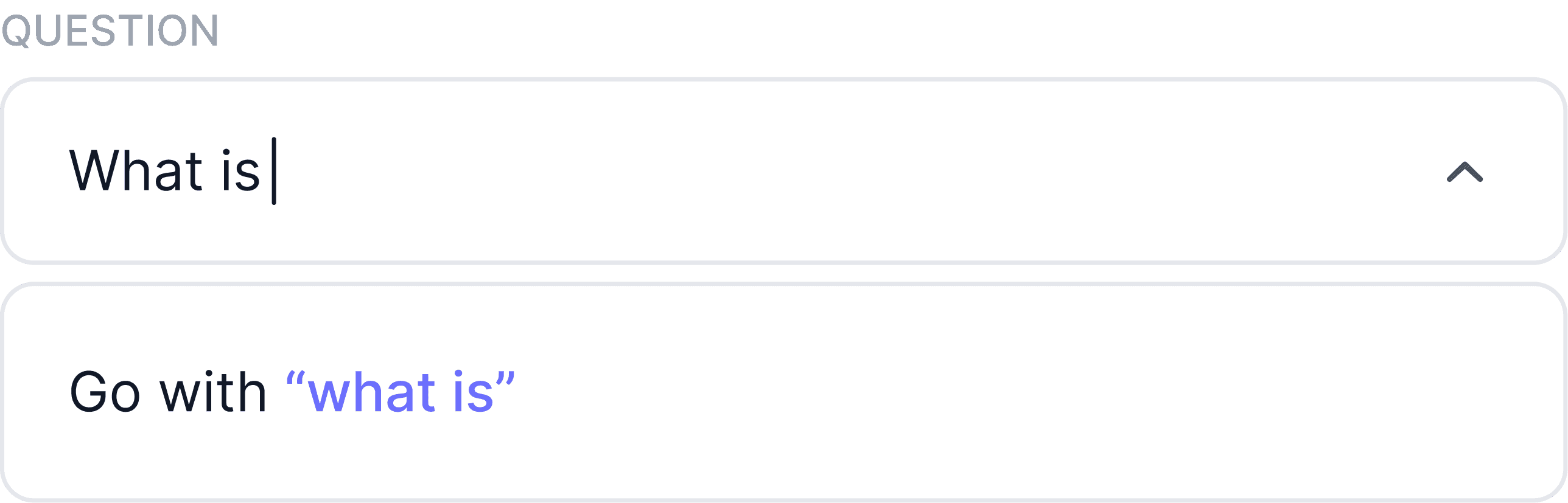
Users can select a preset question or write their own.

This builds trust (ensuring the system knows the topic) and solves the blank page paralysis by giving a clear starting point.
#2 The Mirror Effect & Presence

Seeing themselves on camera forces users to fix their posture and treat the session seriously, preparing them for real interviews.

The AI Avatar (a static image, as if a real interviewer were on mute) adds a sense of being heard, preventing the feeling of talking into a void.
#3 Visual Anchor

The question card remains visible throughout the session.

This keeps the user focused on the specific topic and prevents rambling or forgetting the prompt mid-speech.
RESULT

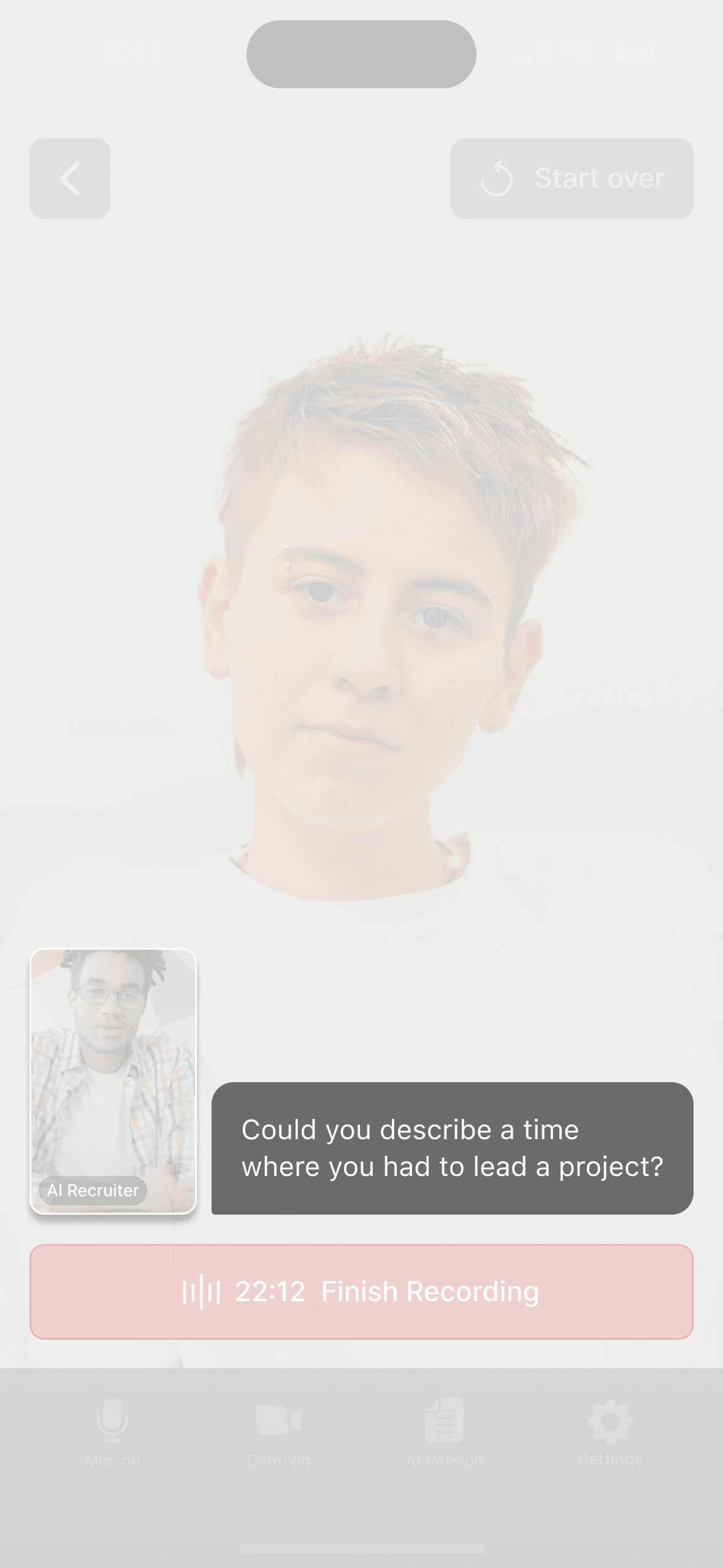
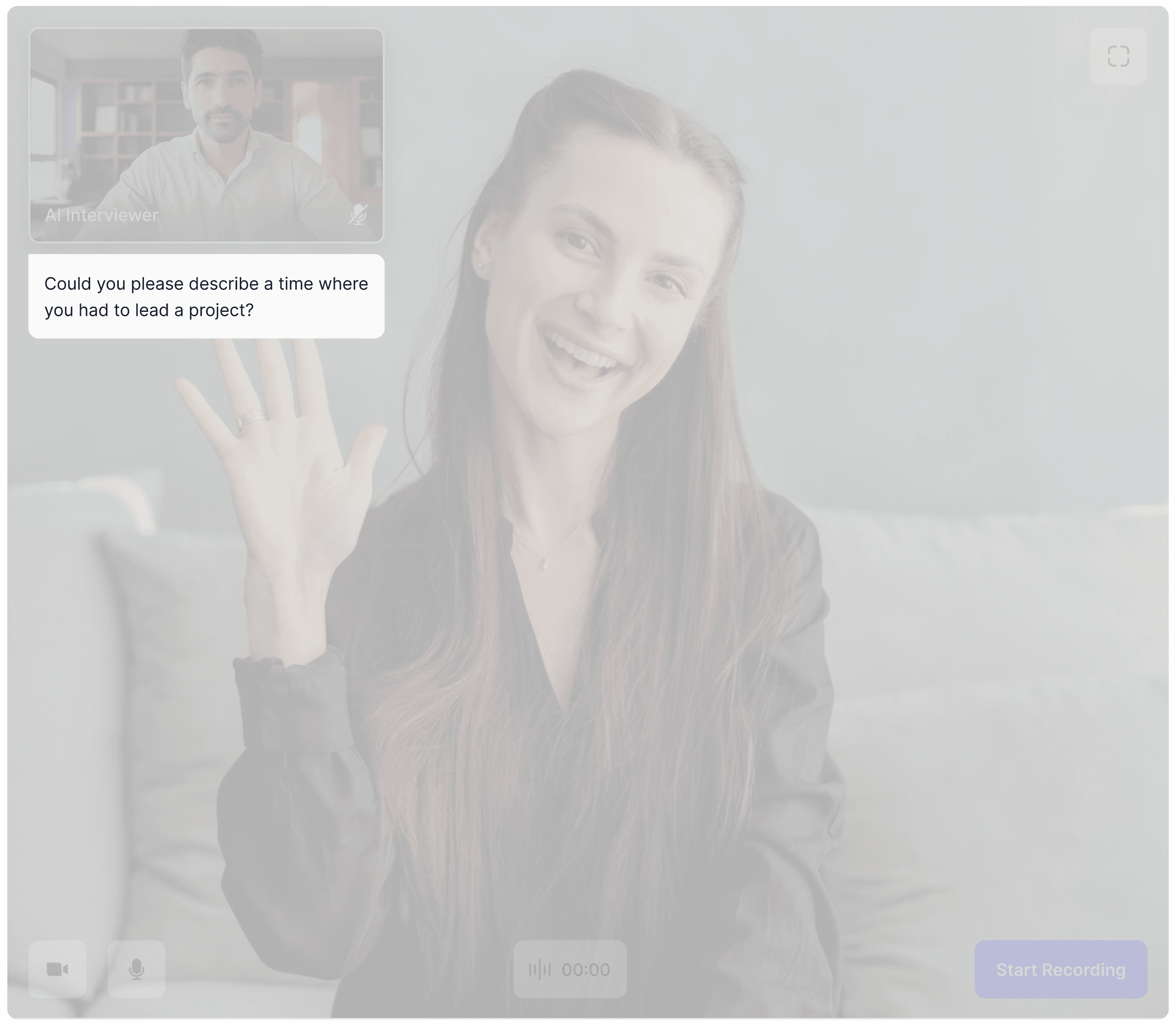
The drop-off at the Analysis stage was a symptom of low engagement during Recording. Users were simply going through the motions. The V2 interface solved this by visualising the context.

The persistent question kept users on topic, and the avatar made them feel heard. This shifted the user mindset from "just testing" to "serious practice," ensuring they completed the full loop.

I tested the new video interface with a second group of 20 users. The difference was clear: users hesitated much less.

By showing a visible question and a realistic interviewer image, the design helped users focus.

Participants took the practice more seriously and spoke more naturally, which also provided better audio for the AI to analyse

Analysis screen

the problem

Initially, I designed an Overview tab to summarise the top 3 focus areas alongside a full transcription. I assumed users wanted a holistic view. However, testing revealed this triggered Analysis Paralysis:

Cognitive Load

Cognitive
Load

Even selecting between 3-4 suggestions was overwhelming. Users had to click, read, and decide what to tackle first.

Context Switching

Replacing the video feed with text (transcription) broke the immersion. Users switched from Speaker to Reader mode and lost the drive to re-record.

Context Switching

Replacing the video feed with text (transcription) broke the immersion. Users switched from Speaker to Reader mode and lost the drive to re-record.

Demotivation

The screen felt like a static list of flaws rather than a path forward.
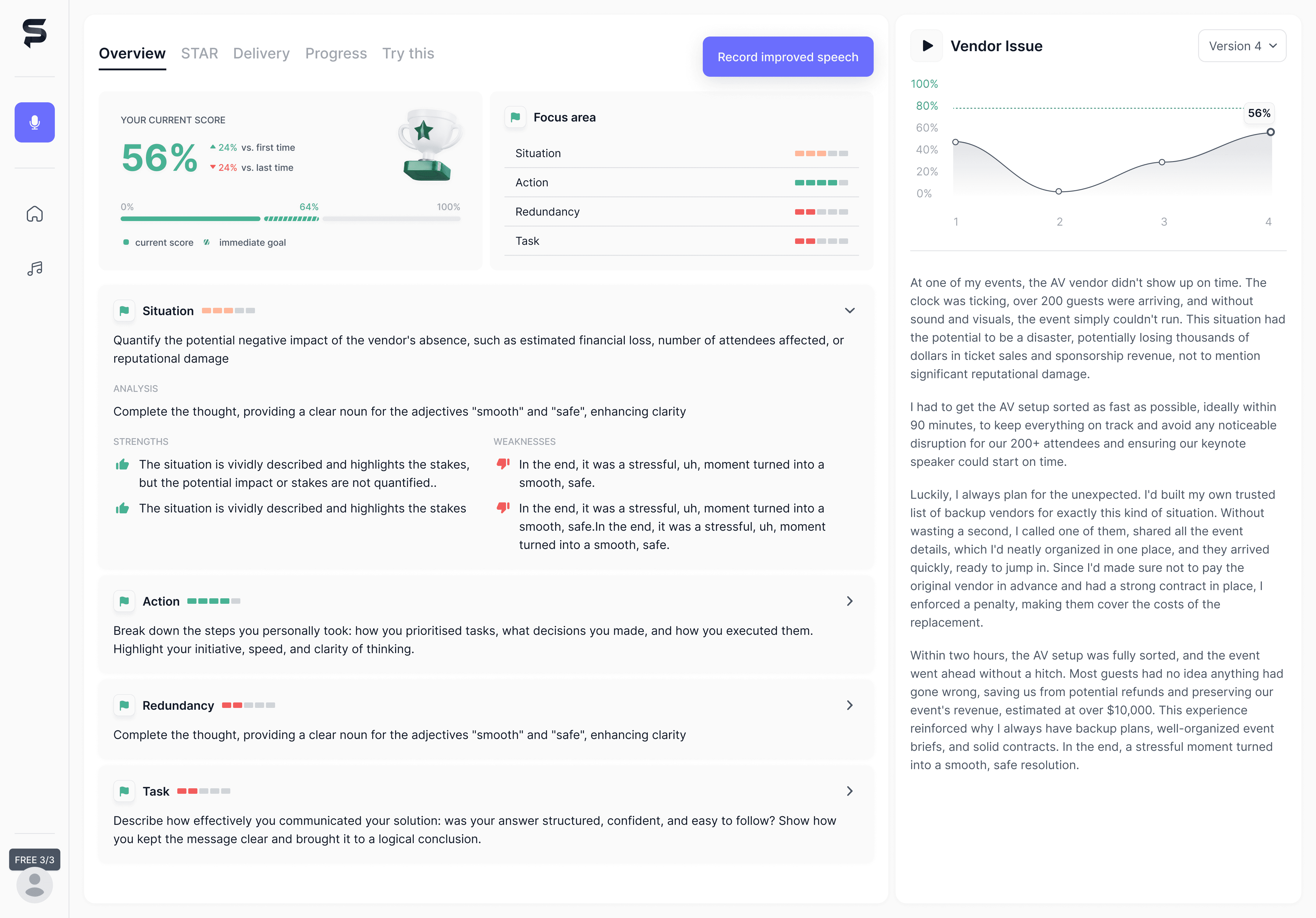
To fix this, I shifted from reporting to guided, single step coaching.

redesign

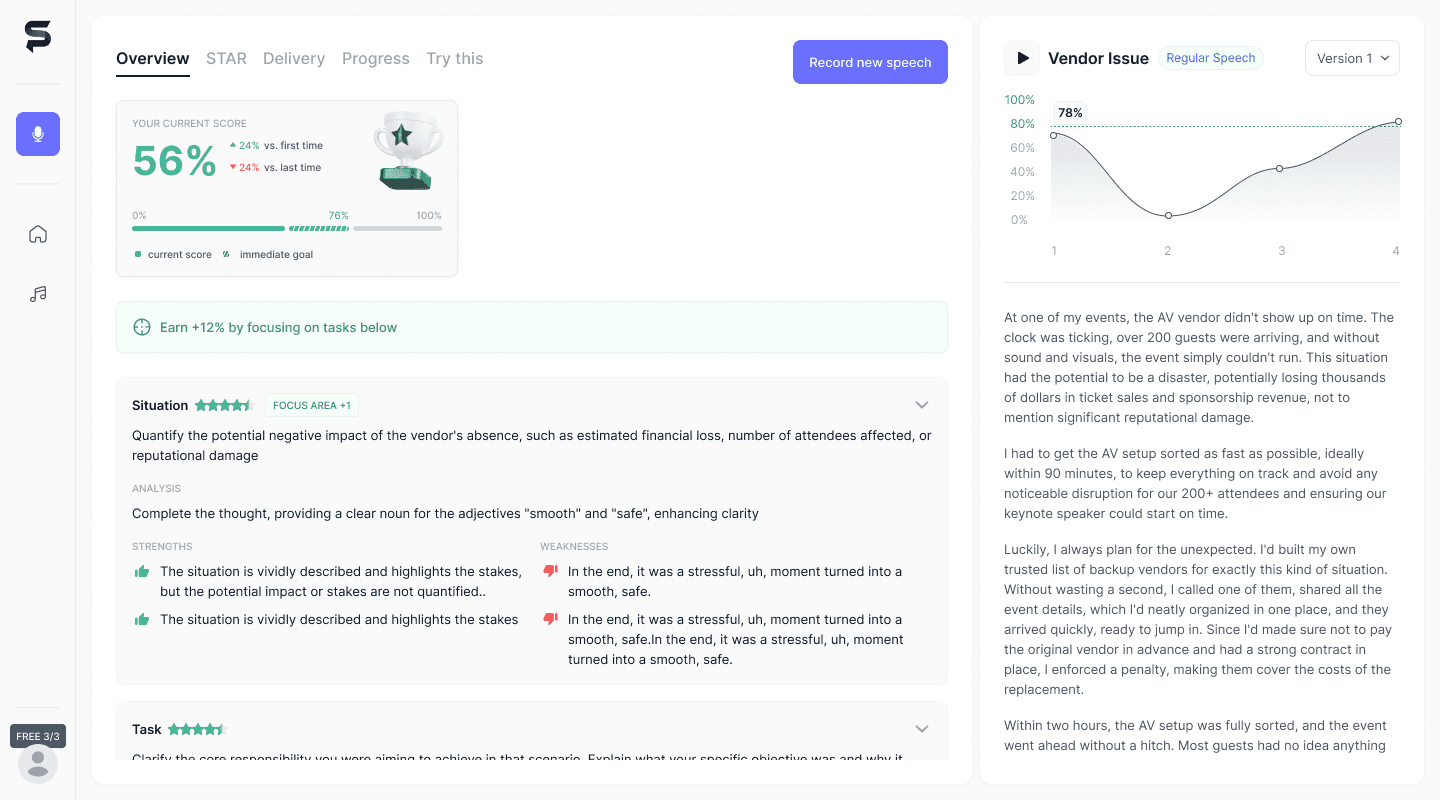
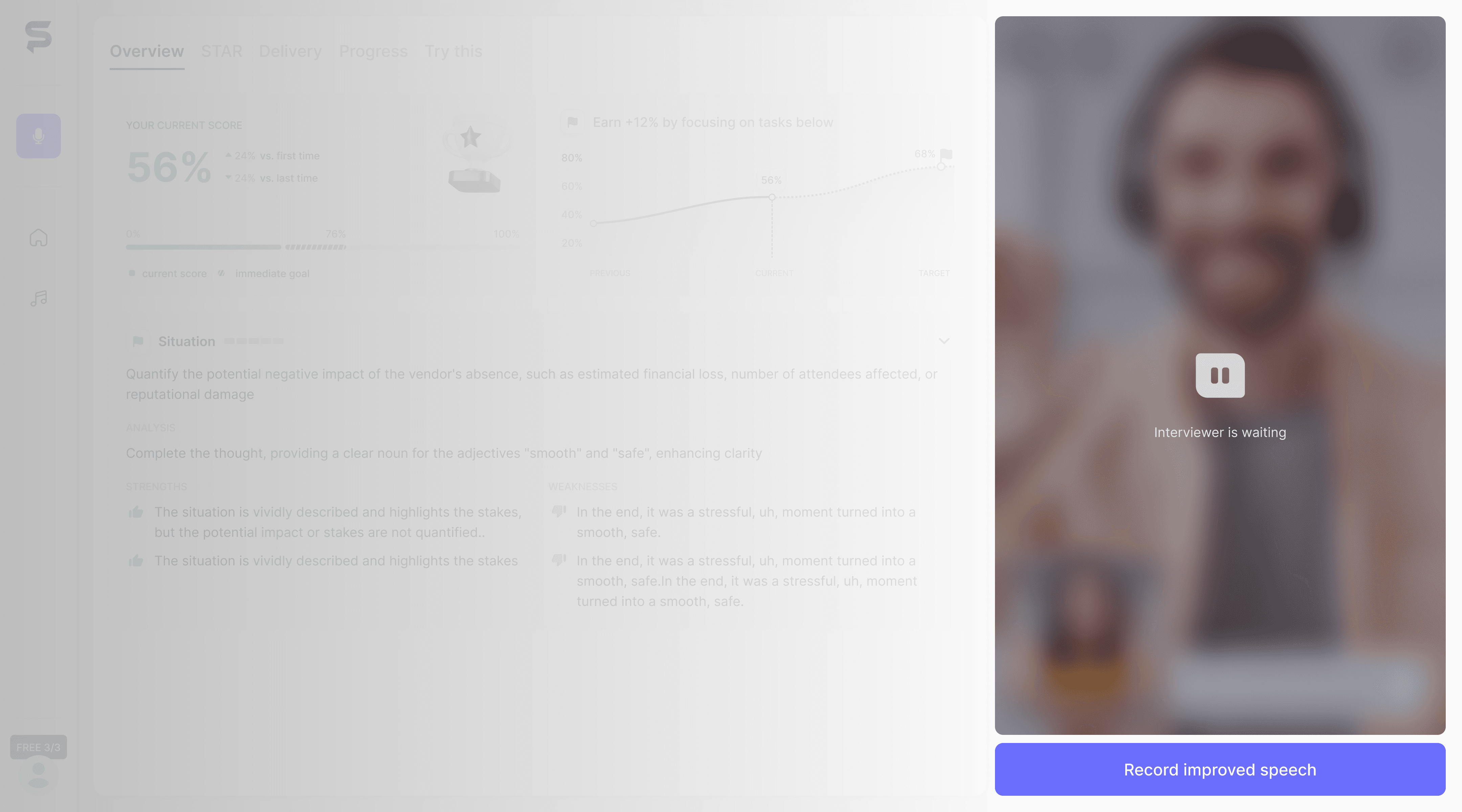
I completely restructured the screen to direct all attention to re-recording. The interface now hides the details and highlights a single, high-impact task, gamifying the improvement process.
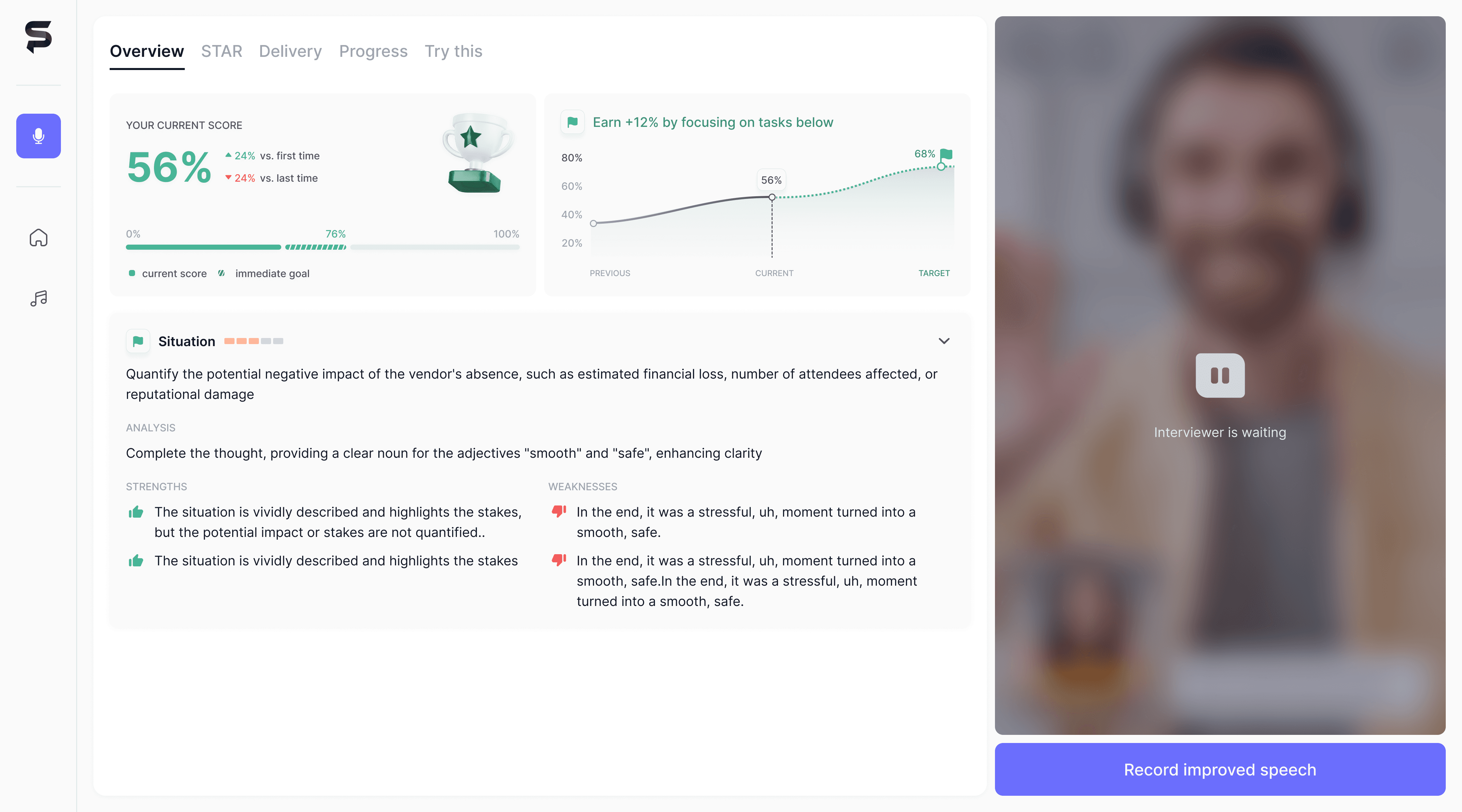
#1 Gamified Forecast

Instead of just showing past mistakes, the new graph projects the future. It promises: "Fix this one thing, and your score grows by 12%. It's good now and you can make it better next time." This creates an immediate dopamine reward hook.
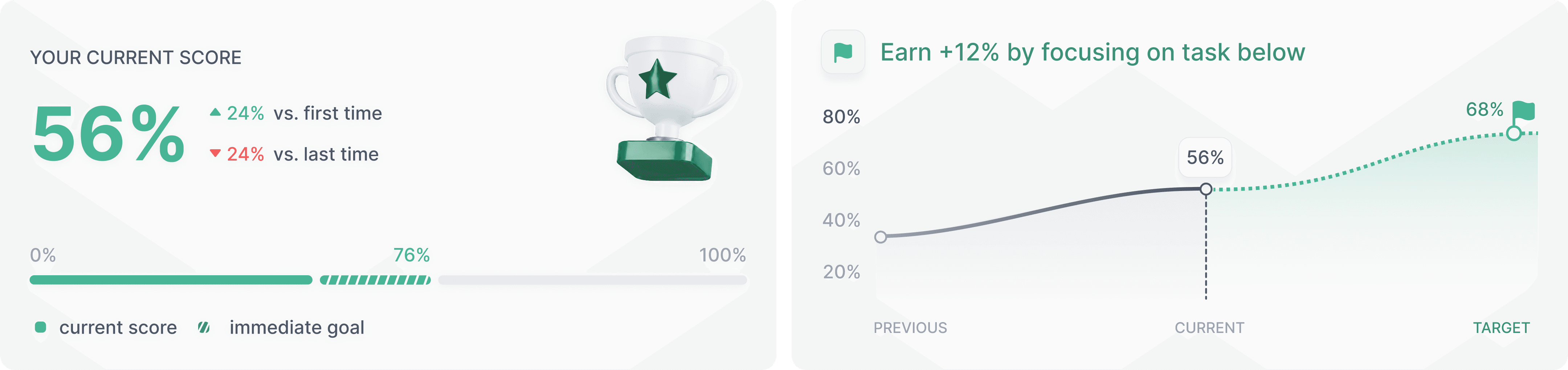
#2 One Key Task

To cure overwhelm, I removed the list of focus tasks. The system auto-selects the highest-ROI improvement and expands it by default. Users don't have to choose or search, they just read the tip and hit record.
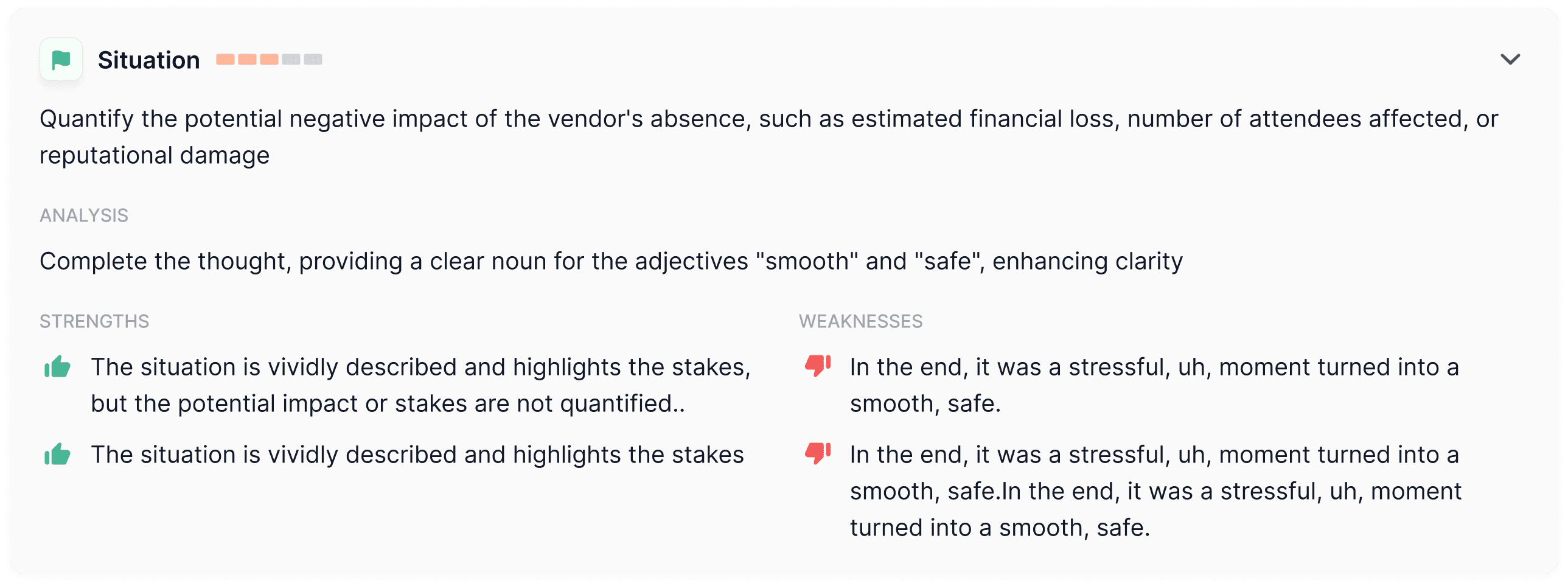
#3 Persistent Environment

I replaced the static transcription in the right window with the paused video feed. This signals that the session isn't over, the "interviewer" is simply waiting. It keeps the user in the flow of speaking, making the transition to re-recording seamless.
Result

Re-recording rate in beta cohorts surged from 15% to 65%

The redesign significantly improved user engagement.

In the second cohort, the re-recording rate rose to 65% (compared to 30% in the first group).

By replacing the complex list of metrics with one specific goal (Fix this to gain +12%), the product made it easier to take the next step. Users stopped feeling overwhelmed by the feedback and were motivated to record a better answer.

By removing the choice friction and introducing the "Next Step" Prediction, we transformed the analysis screen from a dead end into a launchpad. Users stopped analysing their failures and started practicing their improvements.

Re-recording Rate surged from 15% to 65%.

By replacing the list of errors suggestions with a game plan, I shifted the user's focus from past failure to future gain. Keeping focus on a single key task eliminated decision fatigue, making the decision to re-record automatic rather than optional.

Conclusion

BUSINESS OUTCOMES

Engagement and focus

Previously, users struggled to recall their specific question or lost focus during recording, doubting if the AI was tracking the context. This uncertainty led to low engagement with subsequent steps. By introducing visual anchors (avatar, persistent question), I reduced cognitive load, ensuring users stopped rambling and provided high-quality input for analysis.

In the second cohort of 20 users, I saw a major shift in how participants recorded their answers. Unlike the first group, who often hesitated or forgot the question, the new group treated the session like a real interview. The "video call" layout helped users stay focused, resulting in clearer, longer answers that provided better data for the AI to analyse.

Re-recording rate

In beta cohorts, the re-recording rate surged from 15% to 65%. Previously, the analysis felt like a dead end. Restructuring feedback into actionable "Next Steps" transformed the analysis screen from a final report into a launchpad, motivating users to immediately apply corrections and record again.

The most critical improvement was in user retention. In the initial beta, only 6 out of 20 users (30%) attempted a second take. After the redesign, this number more than doubled: 13 out of 20 users (65%) in the new cohort entered the iteration loop. By replacing the complex report card with a single clear goal, the product successfully motivated users to try again.

KEY TAKEAWAYS

Progressive disclosure is key for engagement

Less data leads to more action

My research proved that showing users everything the AI finds leads to paralysis. To trigger action, UX must act as a smart filter, hiding 90% of the noise to highlight the single most high-ROI step.

My research proved that showing users every single mistake leads to paralysis. To trigger action, the design must act as a filter. Hiding 90% of the noise to highlight just one high-impact fix turned the analysis screen from a "wall of shame" into a clear instruction manual.

Context before content

The environment shapes the performance

The best AI feedback is useless if users don't care enough to record a good speech. Overcoming the discomfort of recording against a static screen (via the video-call simulation) was the necessary foundation to make the technical features work.

Even the best AI feedback is useless if the user feels awkward recording the audio. Making the recording screen look like a real video call was a psychological necessity. It helped users overcome the blank screen anxiety and take the practice seriously.

design.dubova@gmail.com

+44-7471-541-313

Find me on

LinkedIn

Elizabeth Dubova

Product designer
based in London

Contact me

design.dubova@gmail.com